Finish whatyou start.

A calm to-do app for work and life. Through picks what to do next, helps you get started, and makes it easy to move things when the day changes. Add tasks by typing, talking, or snapping a photo of your paper list.

Install it on iPhone, Android, Mac or PC straight from your browser, no app store needed. Everything syncs. See the 2-minute setup guide.

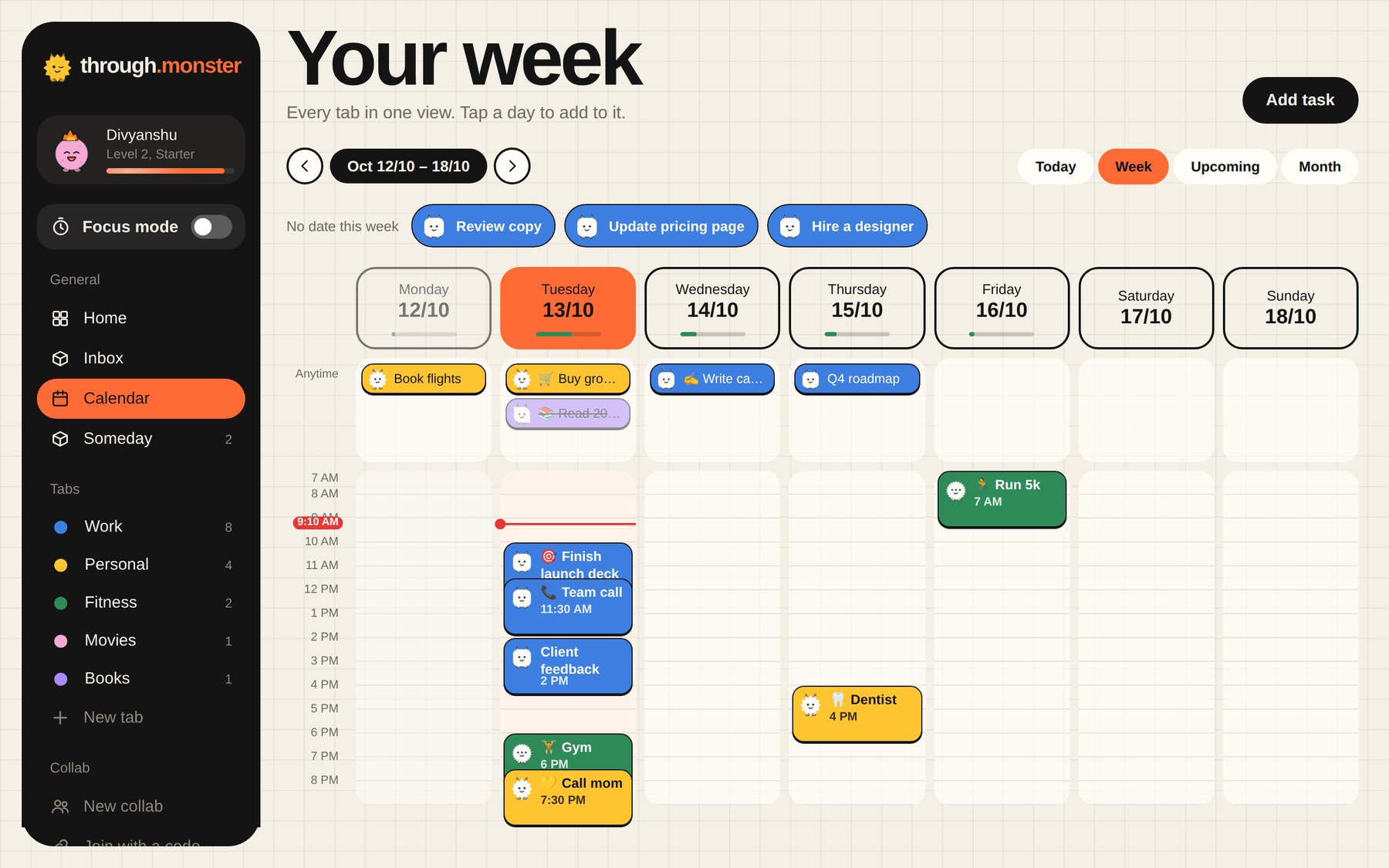
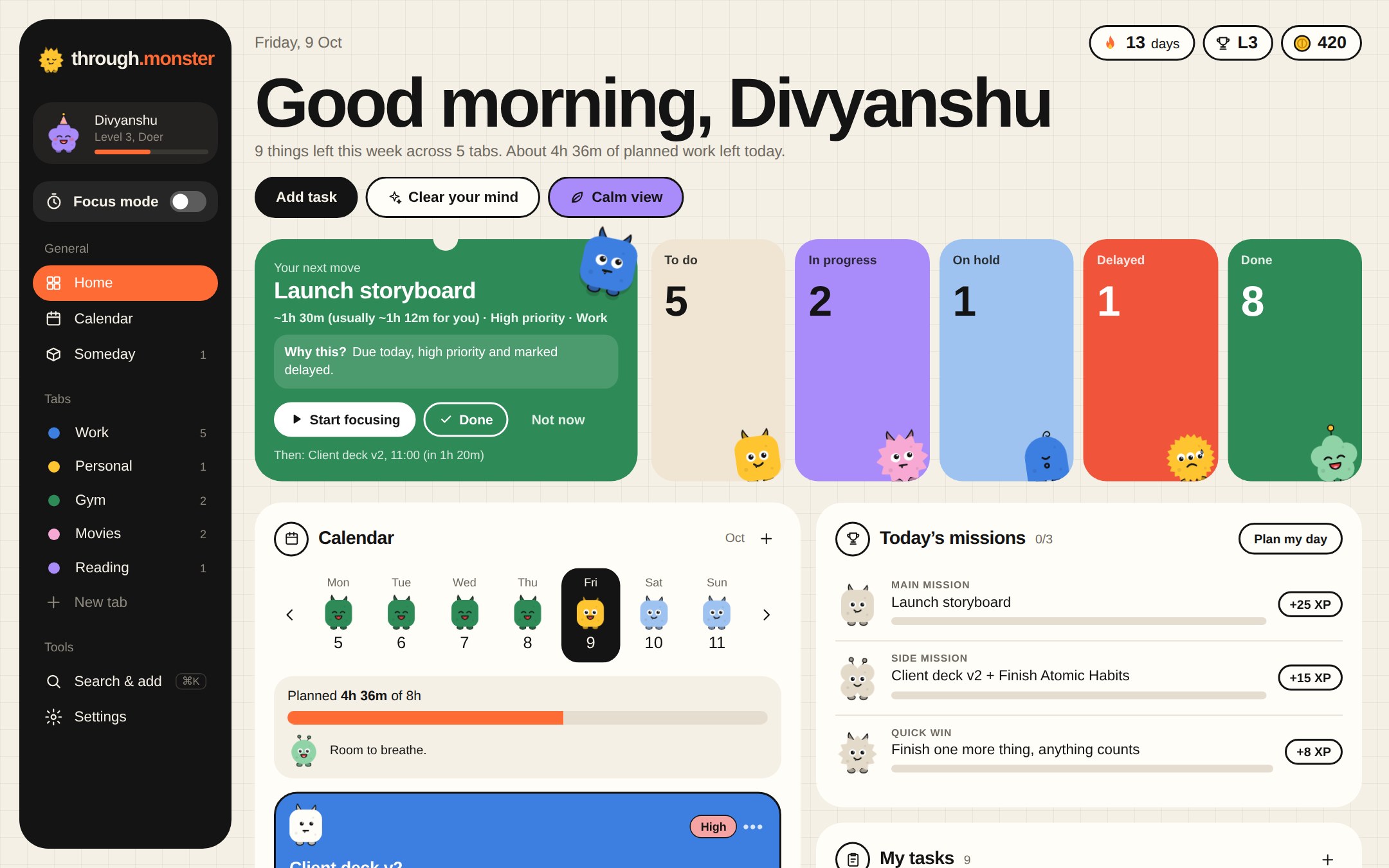
Through on a computer: your next focus, colourful status cards, today’s list and what’s coming up
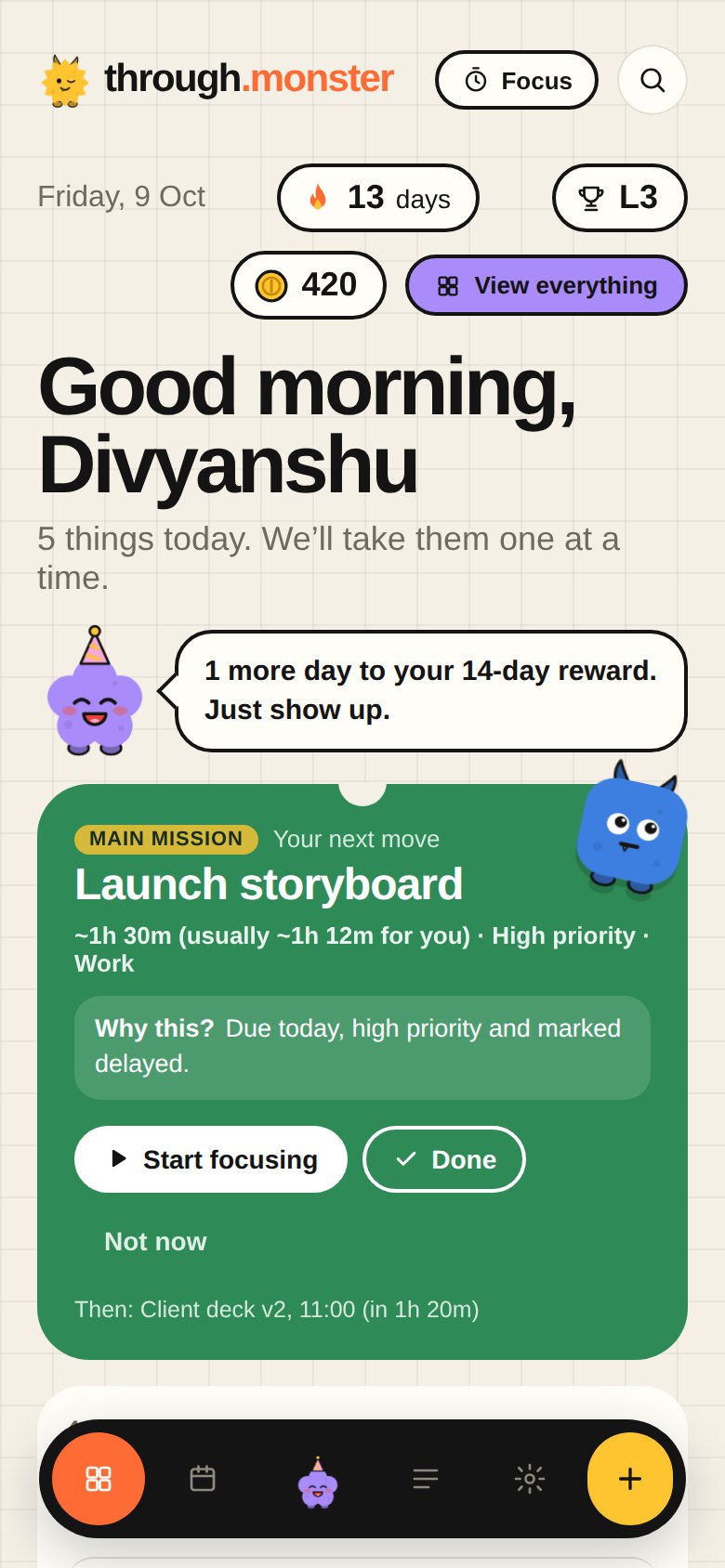
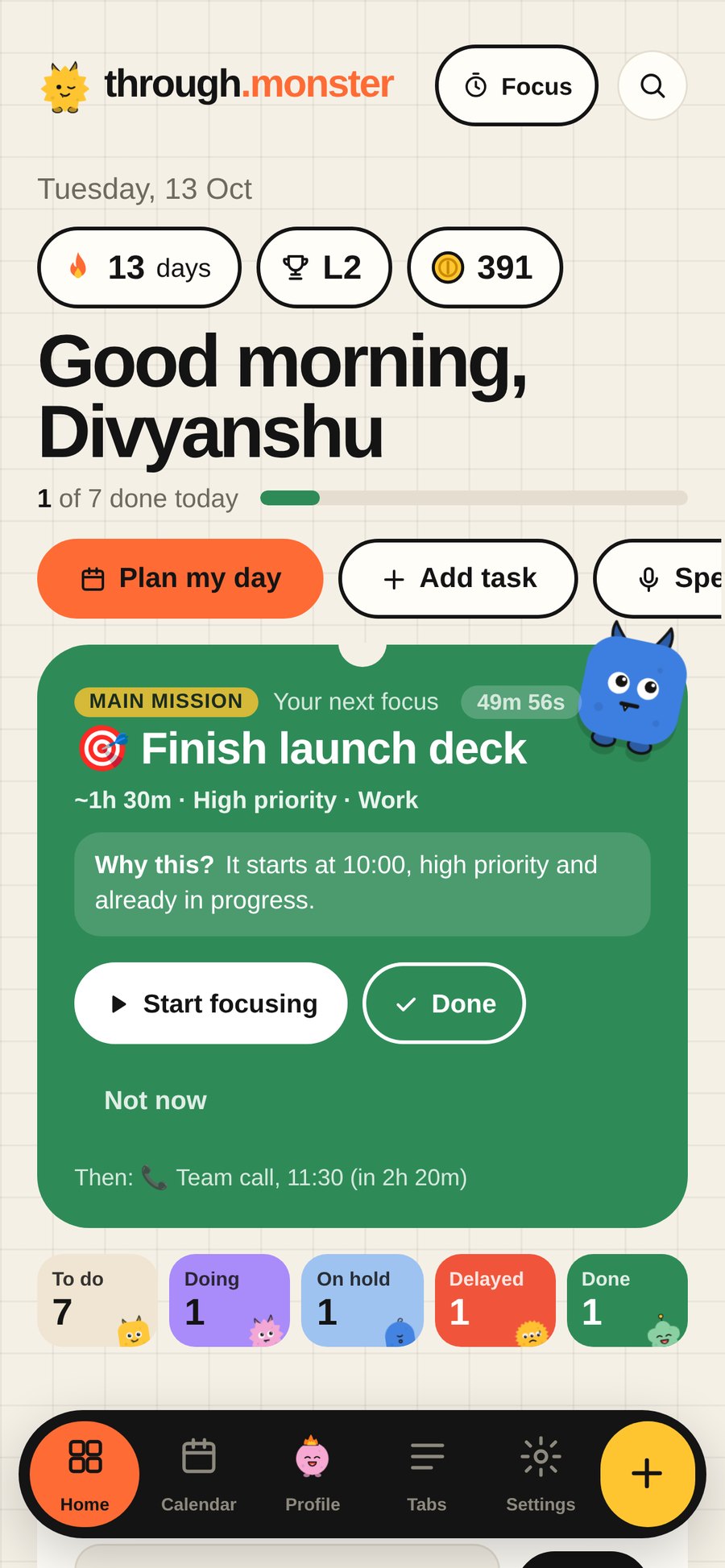
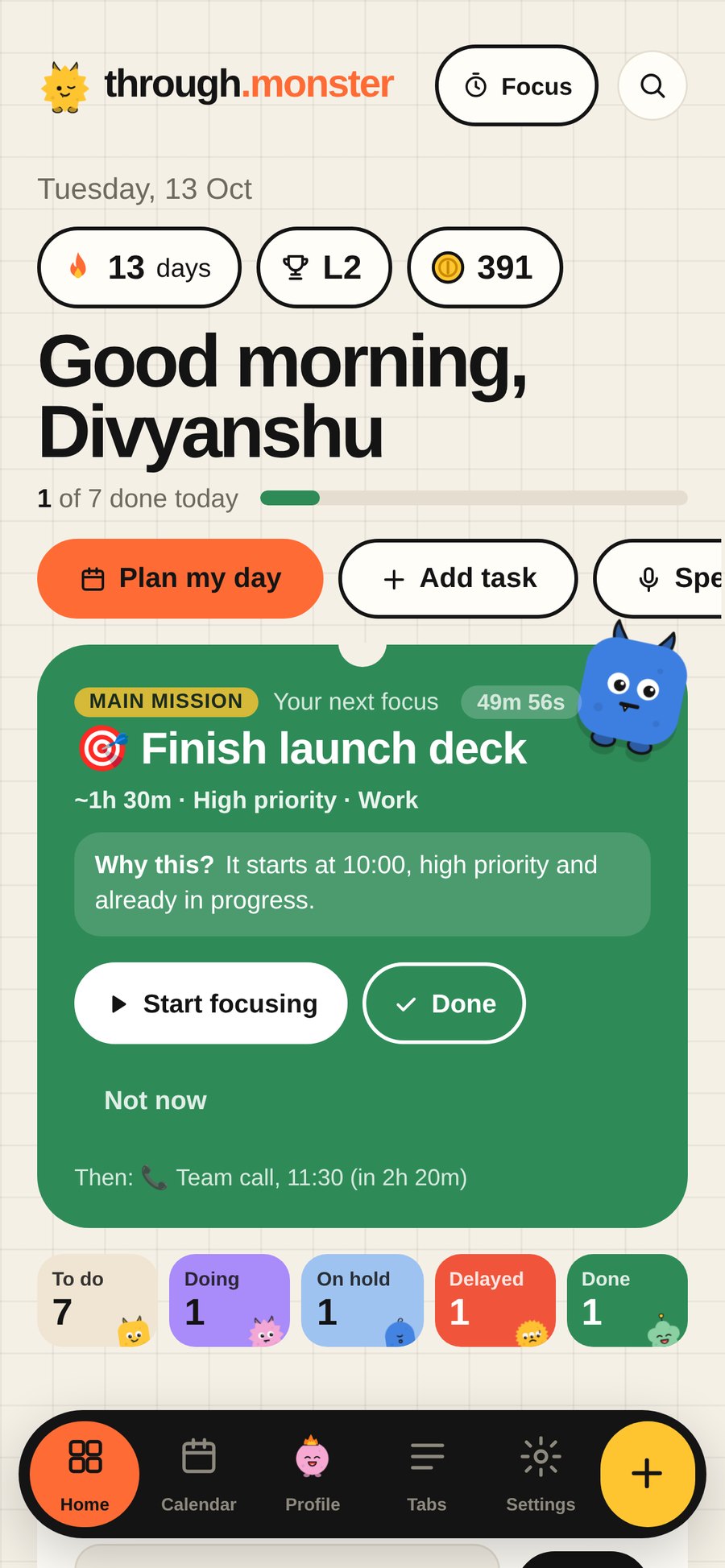
Through on a phone: a greeting, today’s progress and your next focus with a live countdown

The fastest way in

Get it out of your head in seconds.

Most to-do lists fail at the very first step: writing things down. With Through you can just say it out loud, or snap the list you already wrote on paper.

🎙️ Say it

Talk the way you think.

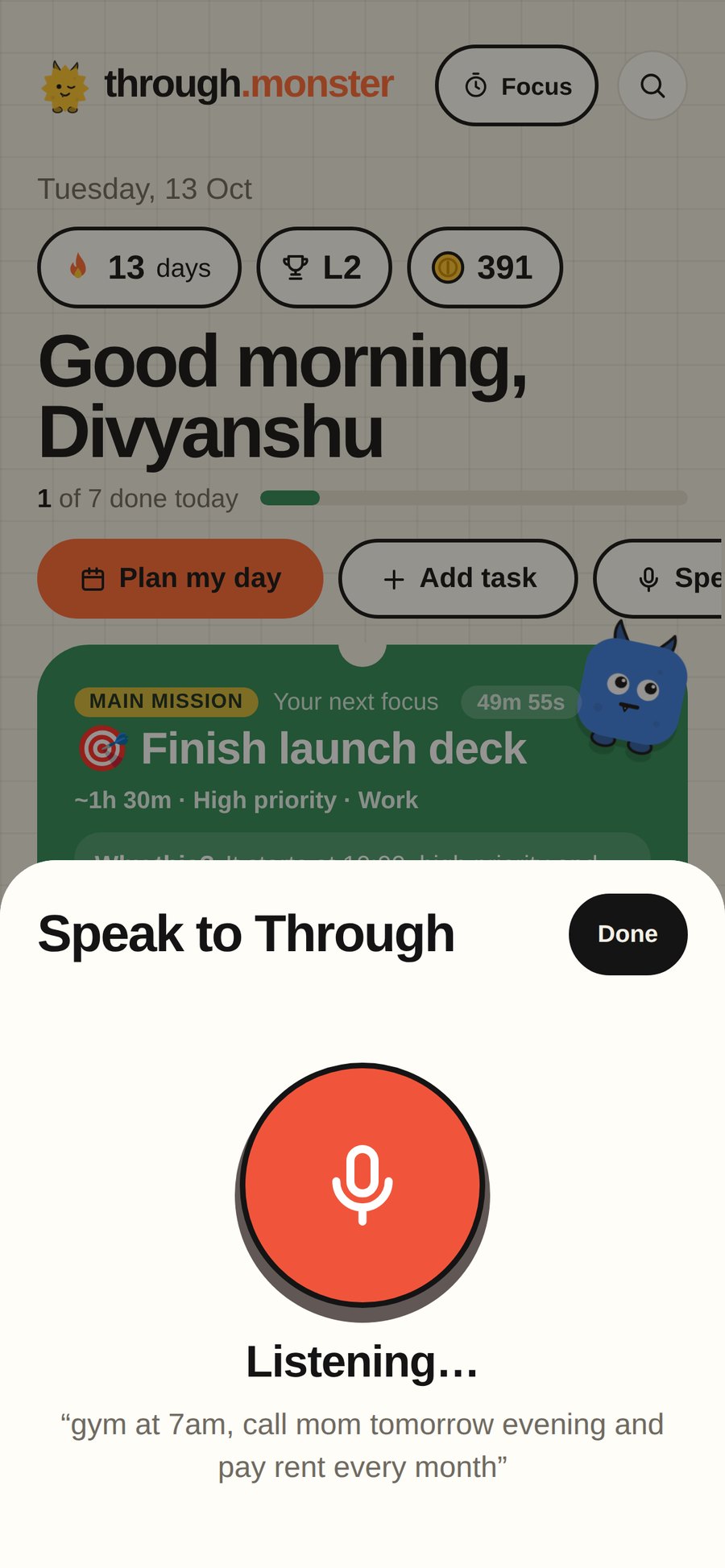
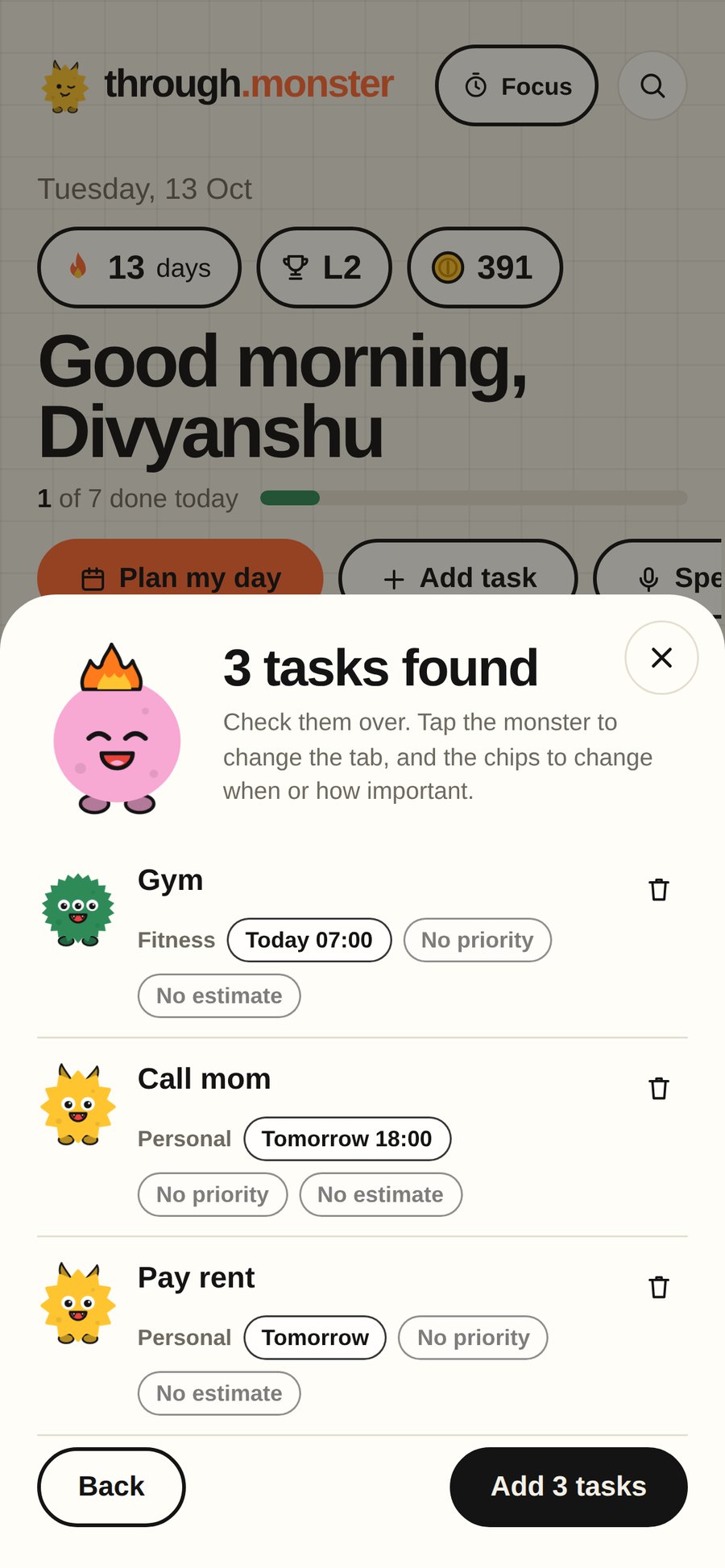
Tap the mic and say it like you’d say it to a friend. “Gym at 7am, call mom tomorrow evening and pay rent every month” becomes three tasks, each with the right day and time.

Speak to Through, listening: gym at 7am, call mom tomorrow evening and pay rent every month3 tasks found: Gym, Call mom, Pay rent
  • Several tasks in one breath, each filed in the right tab.
  • Understands “after lunch”, “half past six” and “every Monday”.
  • Works offline. Your voice never leaves your phone.
  • You check everything before it’s added.
đź“· Snap it

Keep your notebook. Skip the retyping.

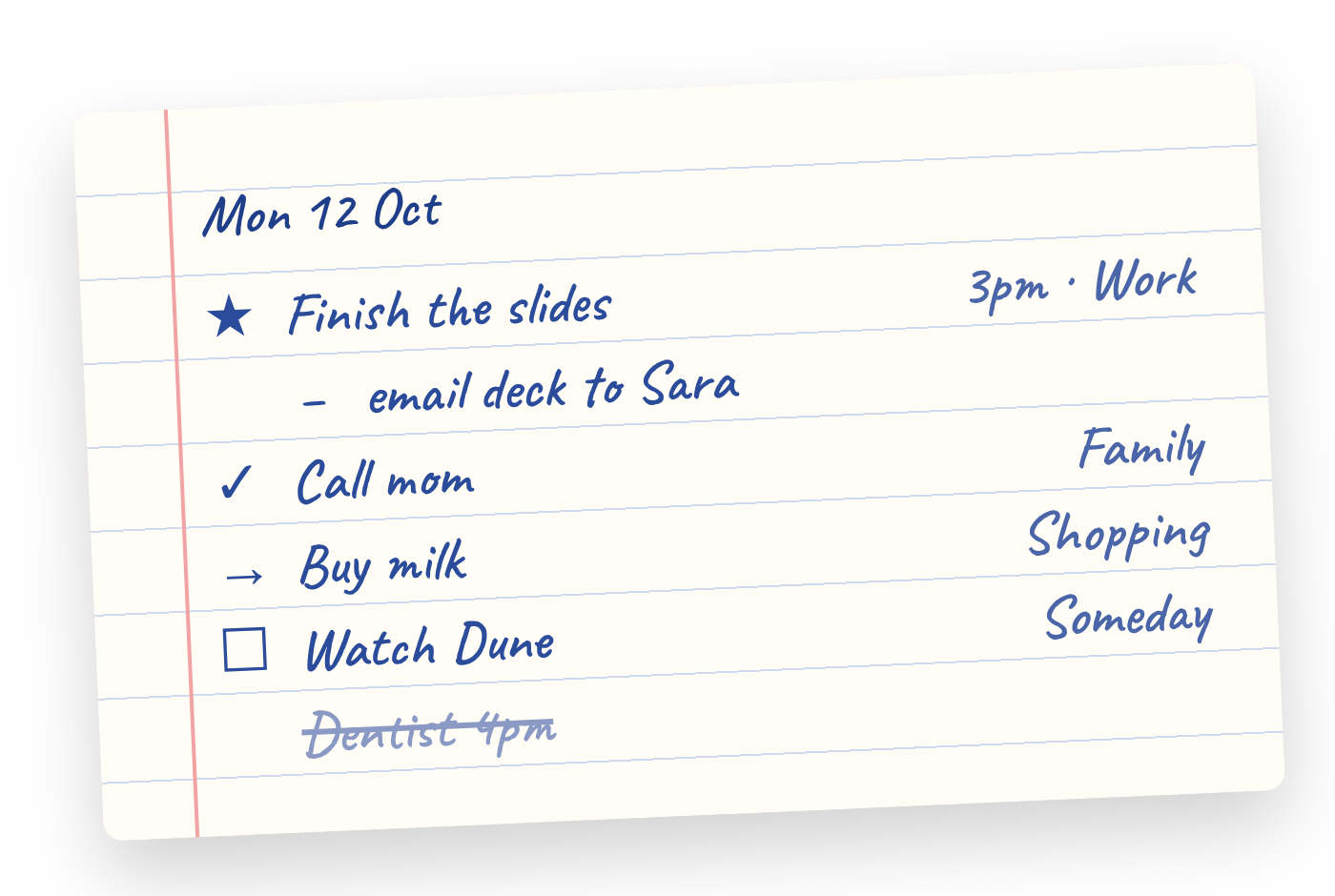
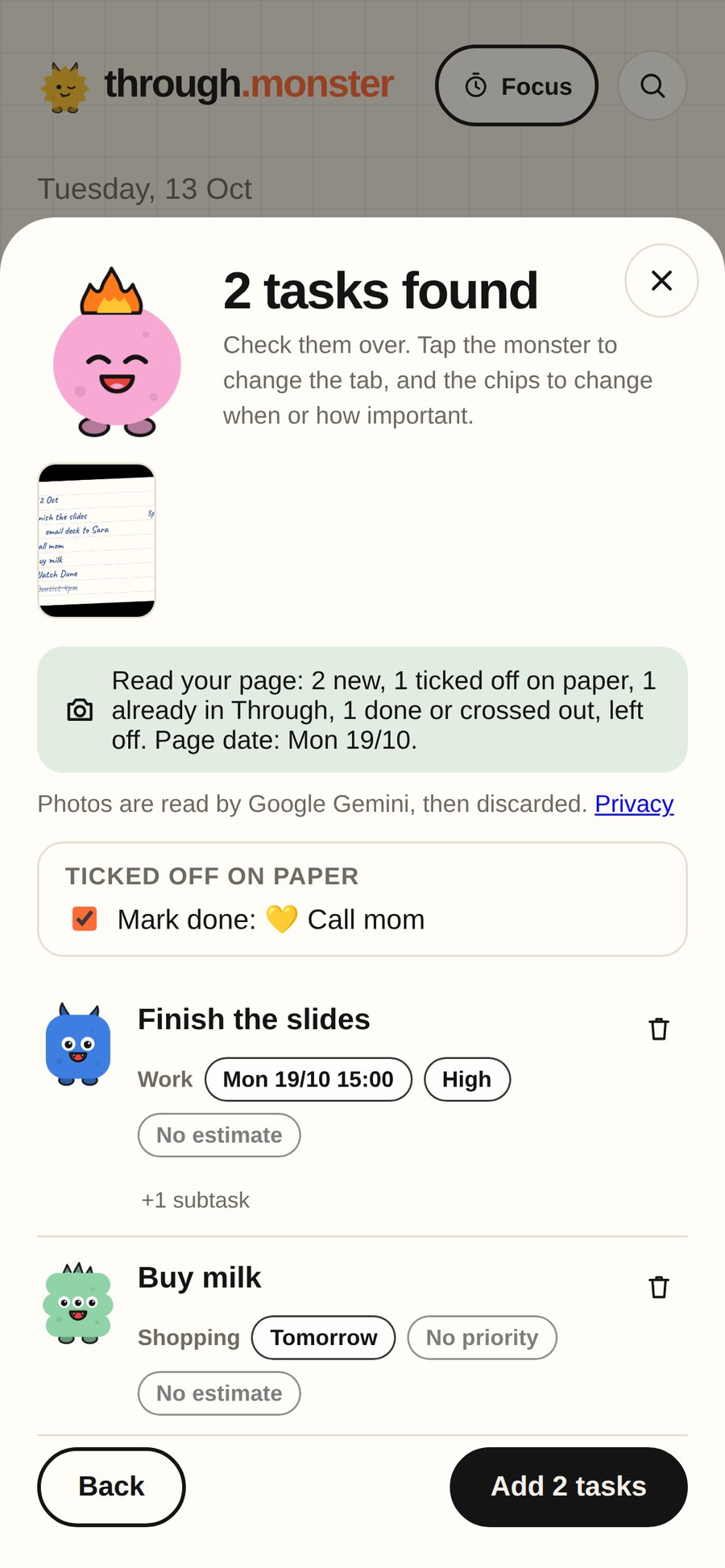
Write your list on paper like you always have. Take a photo, and every line becomes a task: a star means important, an arrow means tomorrow, a tick means done.

A handwritten list with a star, an arrow, a tick and a crossed-out lineThrough read the page: Finish the slides and Buy milk, with Call mom ticked off
  • Reads your handwriting, in any notebook.
  • Ticked lines are marked done, crossed-out ones are skipped.
  • Snap the same page later and it ticks off what you finished.
  • Up to three pages at once. Print a Through page.

Most to-do apps are either too much or not enough. Mine kept making me feel behind.

Work tools want you to manage projects. Simple lists let everything pile up until you stop opening them. Through sits in between: enough structure to plan a real day, light enough for groceries and films, and kind when the day doesn’t go to plan.

Why I made Through

Hi, I’m Divyanshu. I design things for a living, and for years my to-do lists went the same way: they grew, I felt behind, and I quietly stopped opening them.

I didn’t want another project tool, and I didn’t want a list that turns into a guilt pile. I wanted something that would tell me what to do next, help me actually start, and let me move things to tomorrow without feeling bad about it. So I built it, for myself first.

Everything below is something I needed. If you need something that isn’t here, write to me at [email protected]. I read every message.

Divyanshu, maker of Through

One simple loop.

Through doesn’t just store your tasks. It helps you get through them, one at a time.

  1. DecideThrough picks your next move and tells you why.
  2. FocusOne task, a timer, and calm sound. Nothing else.
  3. FinishSwipe it done. See exactly what you earned.
  4. LearnIt learns your pace and your best hours.
Decide

Open it, and your next step is already picked.

No scanning a long list wondering where to start. Through looks at what’s due, what matters and how much time you have, then shows one task with the reason why.

  • “Why this?” explains the pick: due today, high priority, fits before your 11:00.
  • A task starting soon takes over the card, with a live countdown.
  • Not now shows the next best option. Skip something three times and Through offers to break it into smaller steps.
Through on a phone: today’s progress and your next focus, Finish launch deck, with a live countdown
Plan

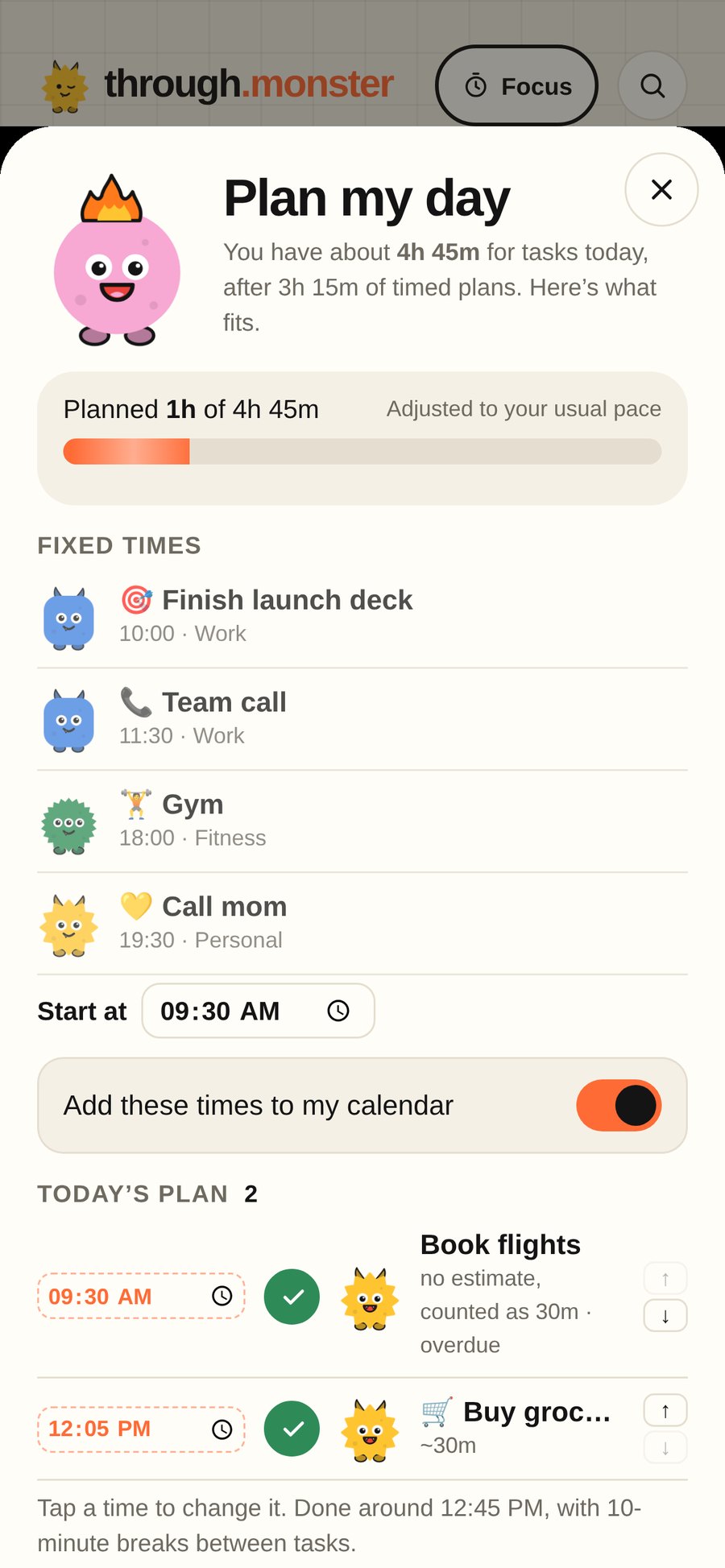
Plan a day you can actually finish.

Pick what matters and Through lays it out with real start times, around your meetings, with short breaks in between.

  • Tap any time to change it. Everything else moves around it.
  • Free time shows on your calendar. Drop unscheduled tasks into it with one tap.
  • Overlapping tasks get flagged before they turn into a problem.
Plan my day: your fixed times, then a schedule for the rest with editable start times
Clear your mind

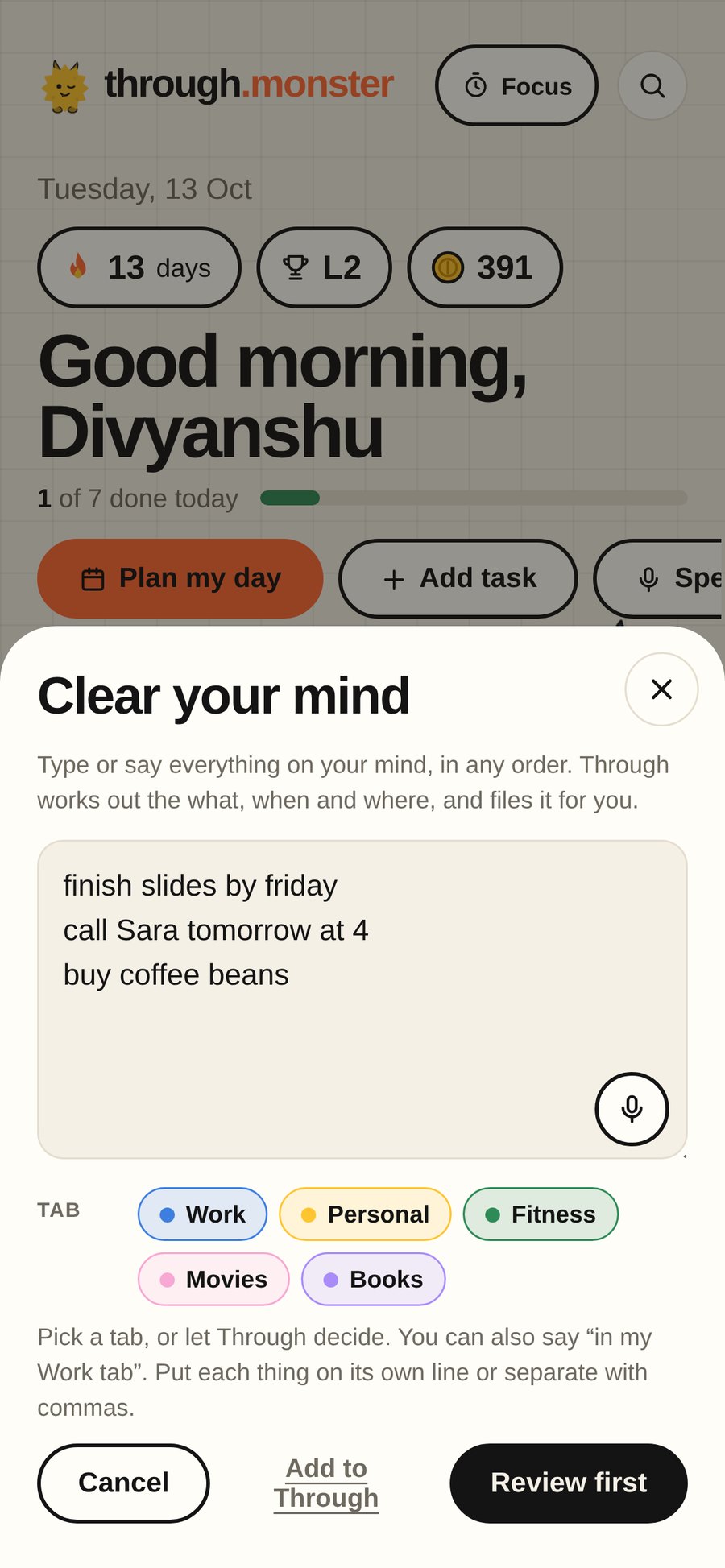
Talk, and it turns into tasks.

Tap the mic and say it the way you’d say it to a friend: “gym at 5, call mom tomorrow evening, pay rent every month”. Through splits it up, finds the days and times, and lets you check before anything is added.

  • Understood on your phone. Your voice never leaves it.
  • Gets “after lunch”, “half past six”, “every Monday”, and typos like “tommorow”.
  • Each task lands in the right tab on its own.
Clear your mind: three lines typed at once, ready to become tasks
Focus

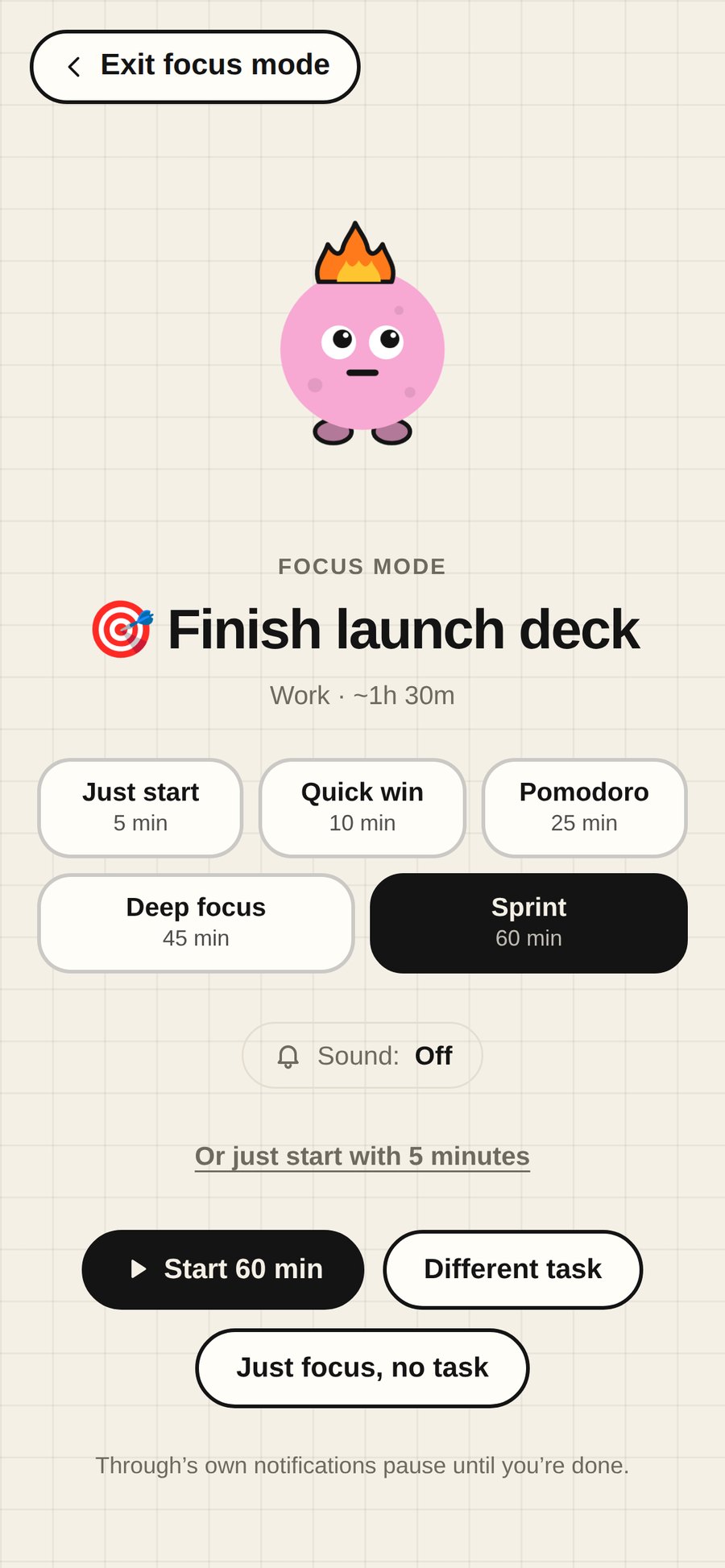
Get started, even when you don’t feel like it.

Focus mode shows one task, a timer and nothing else. Big task? Start with five minutes. Starting is usually the hard part.

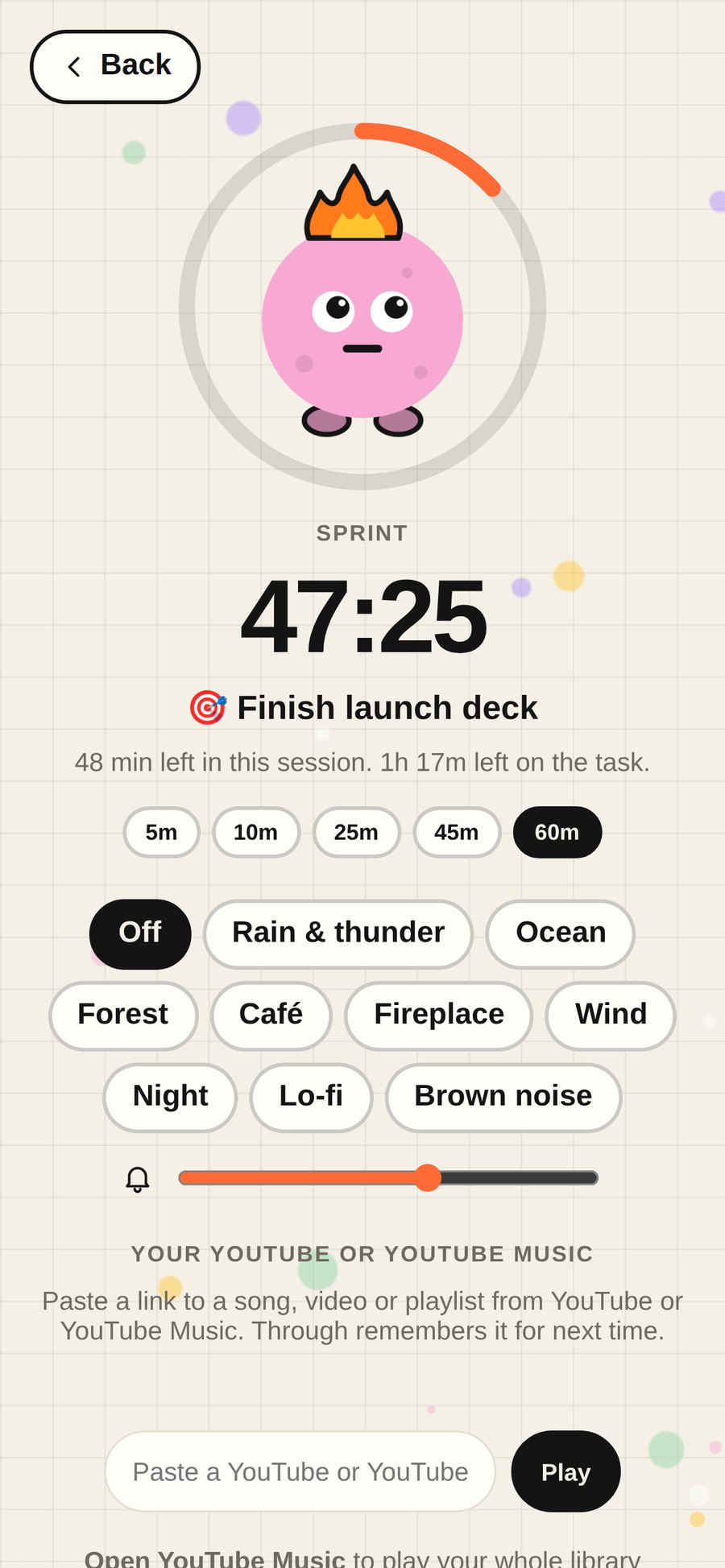
  • Rain and thunder, ocean waves, a quiet forest, a café, brown noise, or your own YouTube playlist.
  • Pause when life happens and pick up where you left off.
  • Your other notifications stay quiet until you’re done.
Focus mode setup: pick a session from five minutes to an hour
A focus session running with a timer and calm sounds
Finish

Finishing feels good.

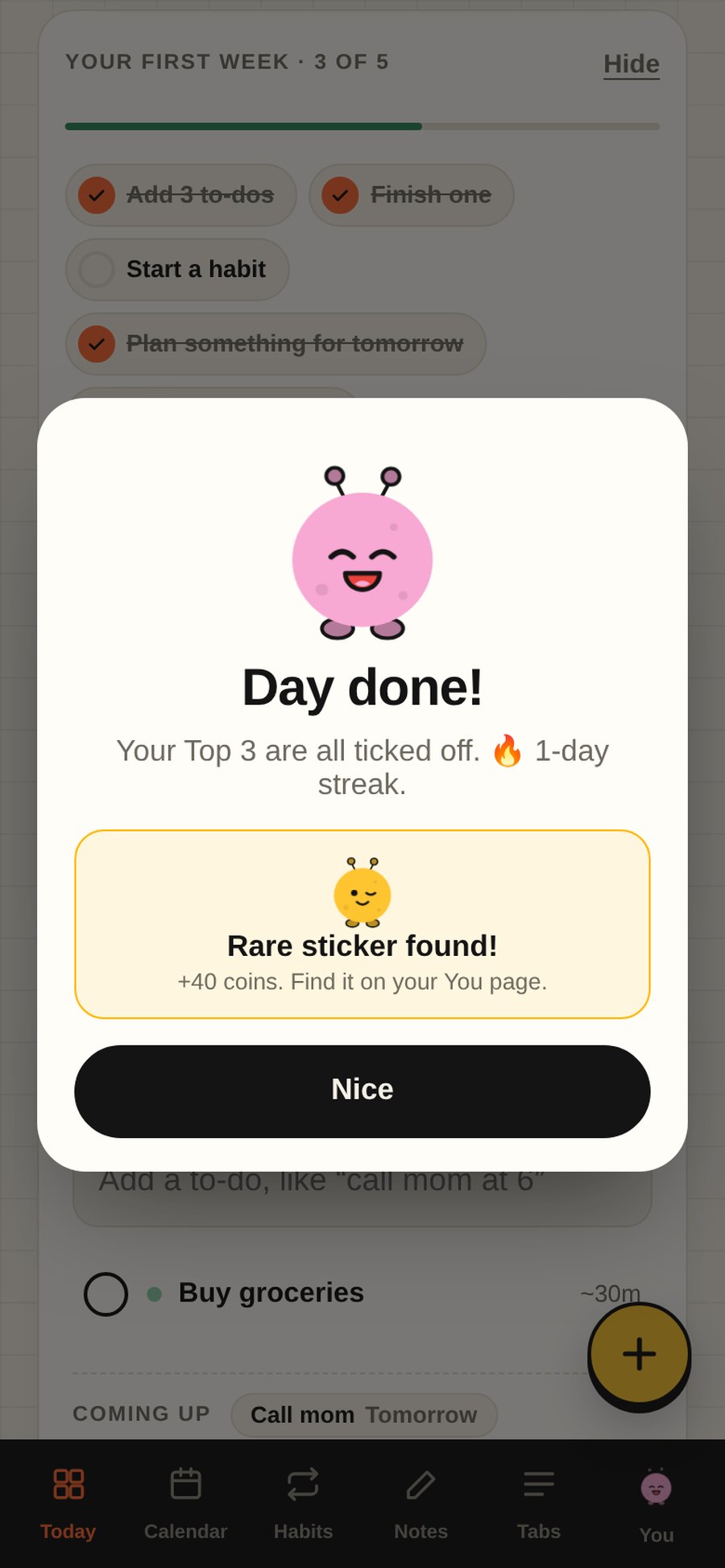
Ticking something off should feel like something. You get a small celebration, a buddy who’s happy for you, and a streak that counts any day you finish at least one task.

  • Swipe right to finish, left to delete, with Undo if you slip.
  • Select several tasks to finish or delete them in one go.
  • Daily missions come from your real tasks, not made-up chores.
Swiping a task right to finish it: a green Done!
Organize

Work and life, in one place.

Tabs keep work, home, the gym and the films you want to watch apart, without juggling three apps.

  • Start with ready-made tabs, or add your own in a tap.
  • Every tab is a board: by status, by day, or a simple list.
  • Share a tab with friends or family and tick things off together.
Your week in the calendar on a computer, every tab in one view
Recover

Fall behind without feeling bad about it.

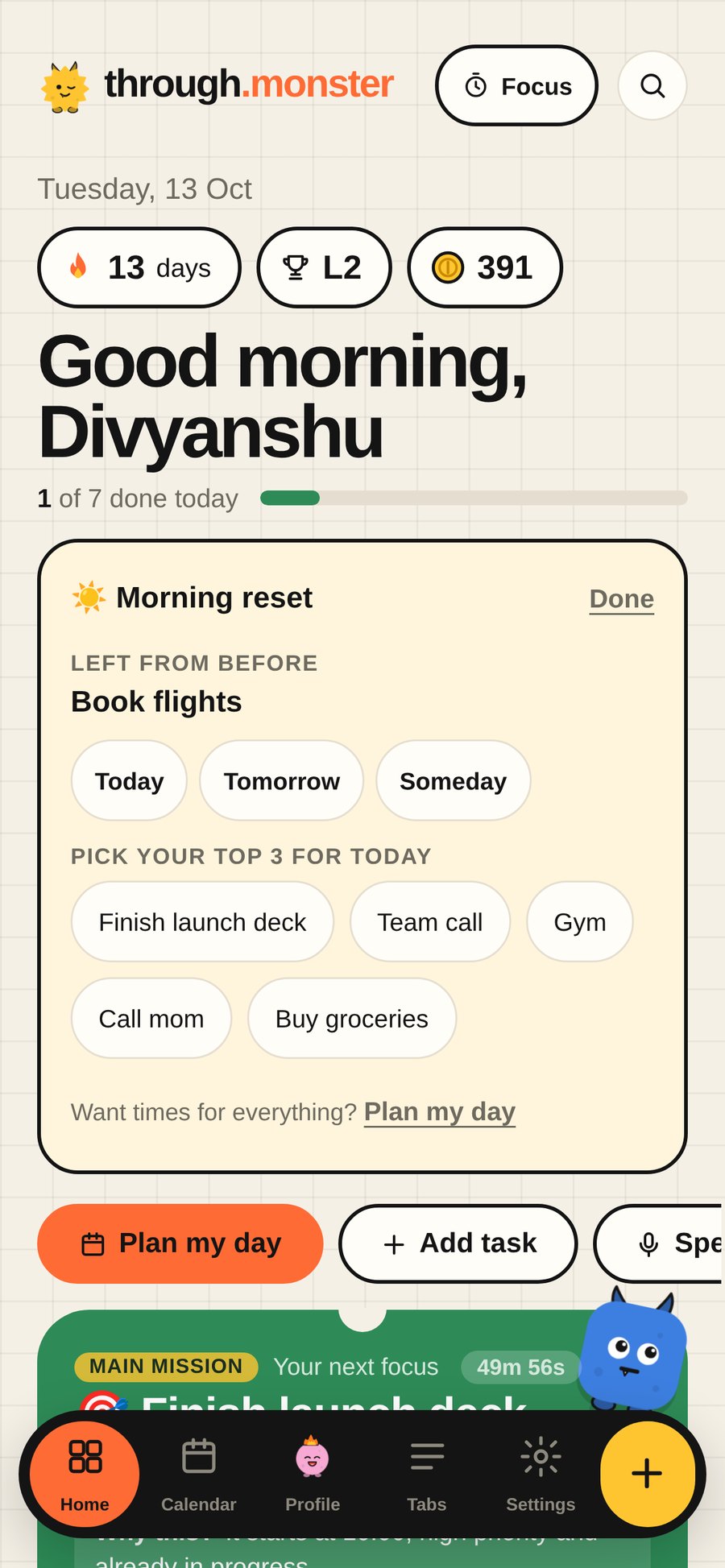
Every morning, Through shows what’s left from yesterday and asks you to pick your top three. Every evening, it shows what you finished and moves the rest to tomorrow in one tap.

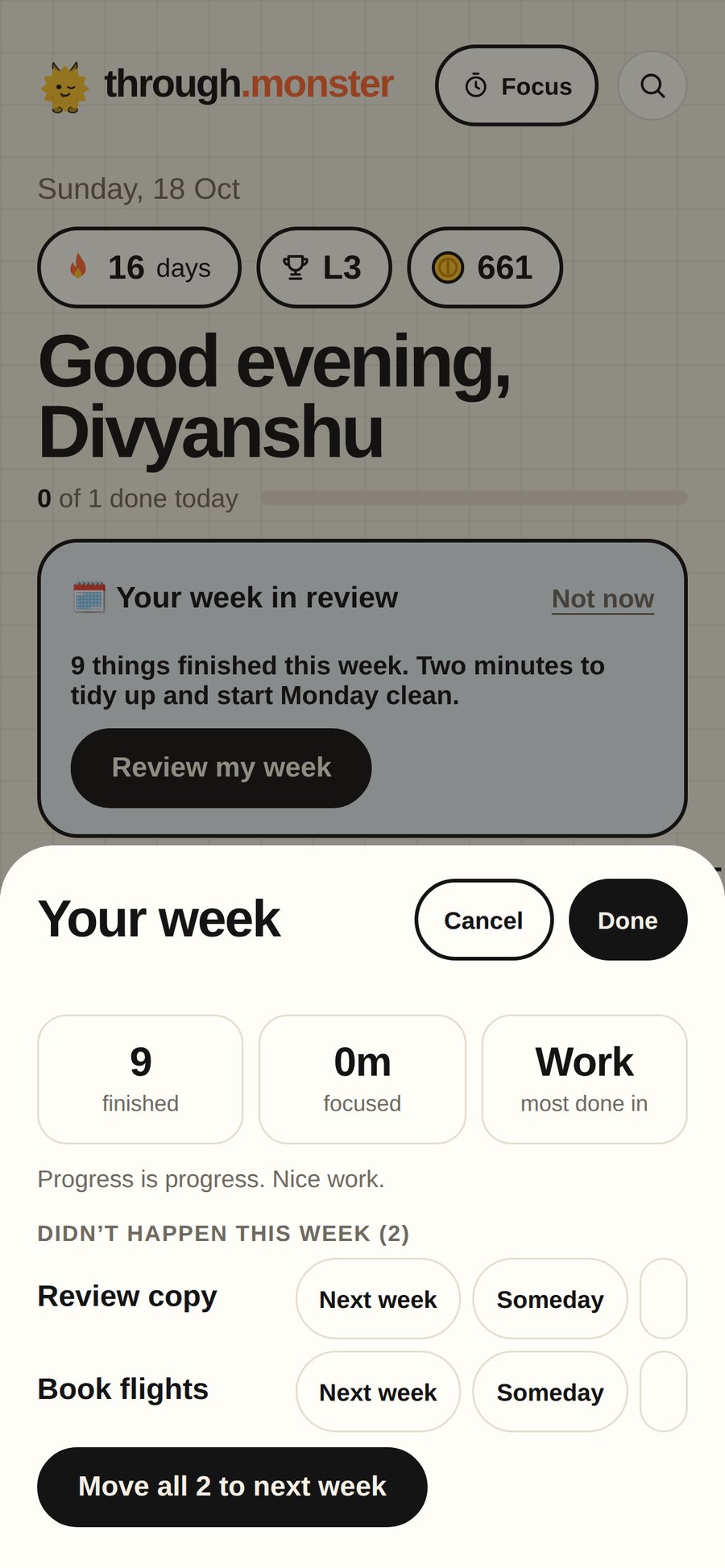
  • On Sundays, a two-minute weekly review: what got done, what slipped, and a clean start on Monday.
  • Snooze a task to later today, this evening or tomorrow morning.
  • Late tasks wait patiently. Nothing turns red and shouts at you.
Morning reset: move yesterday’s leftovers and pick your top three
The game

Rewards, if you want them.

Coins, levels, badges and a buddy you can dress up. They’re there to make showing up a little more fun, and one switch in Settings turns them off for a plain task list.

66badges to earn
3missions a day
36buddy shop items
3Streak Shields to hold
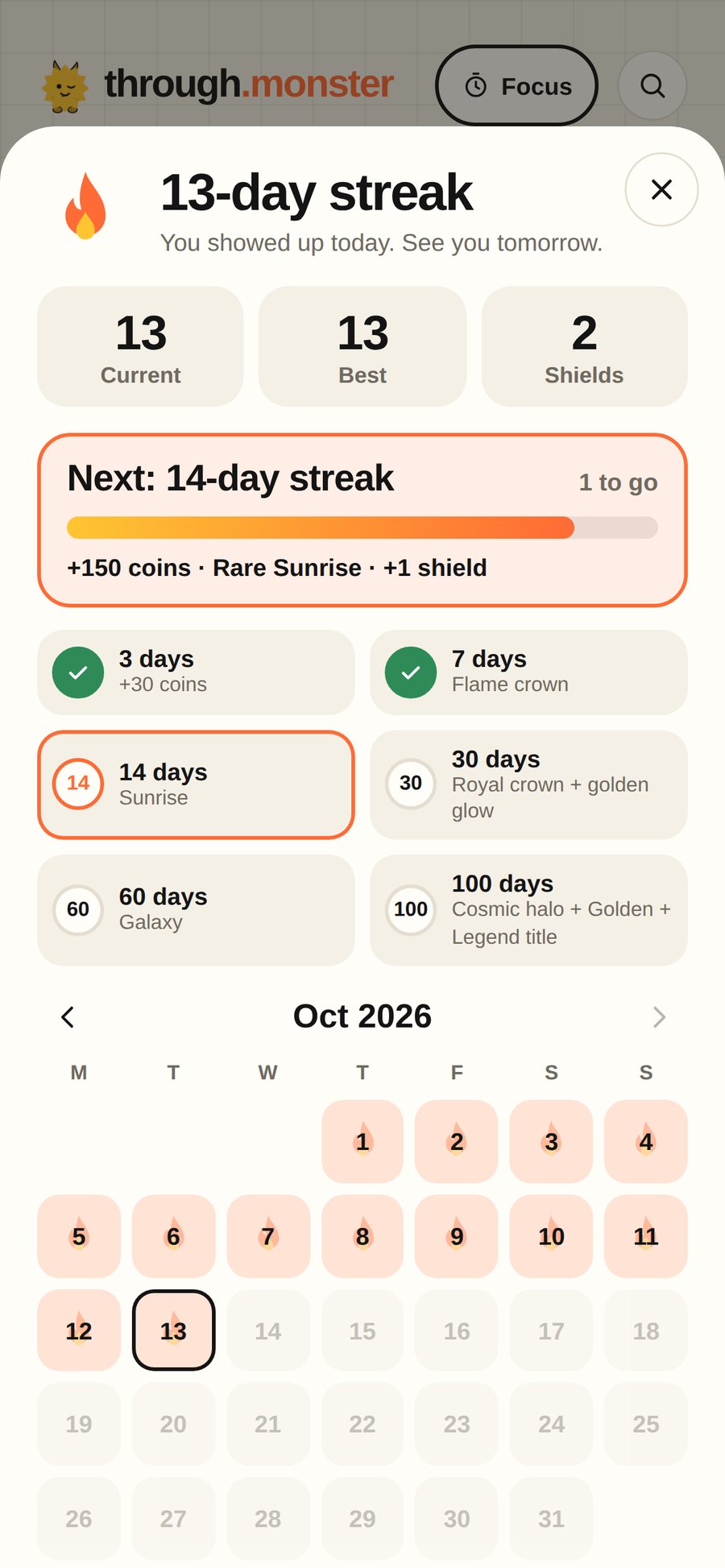
  • Your streak counts any day you finish one task. A missed day can be covered by a Streak Shield.
  • Earn hats, outfits and colours for your buddy.
  • Your progress is kept even with rewards switched off.
Your streak: 13 days, the next milestone and the rewards on the way
Wins

See how you’re actually doing.

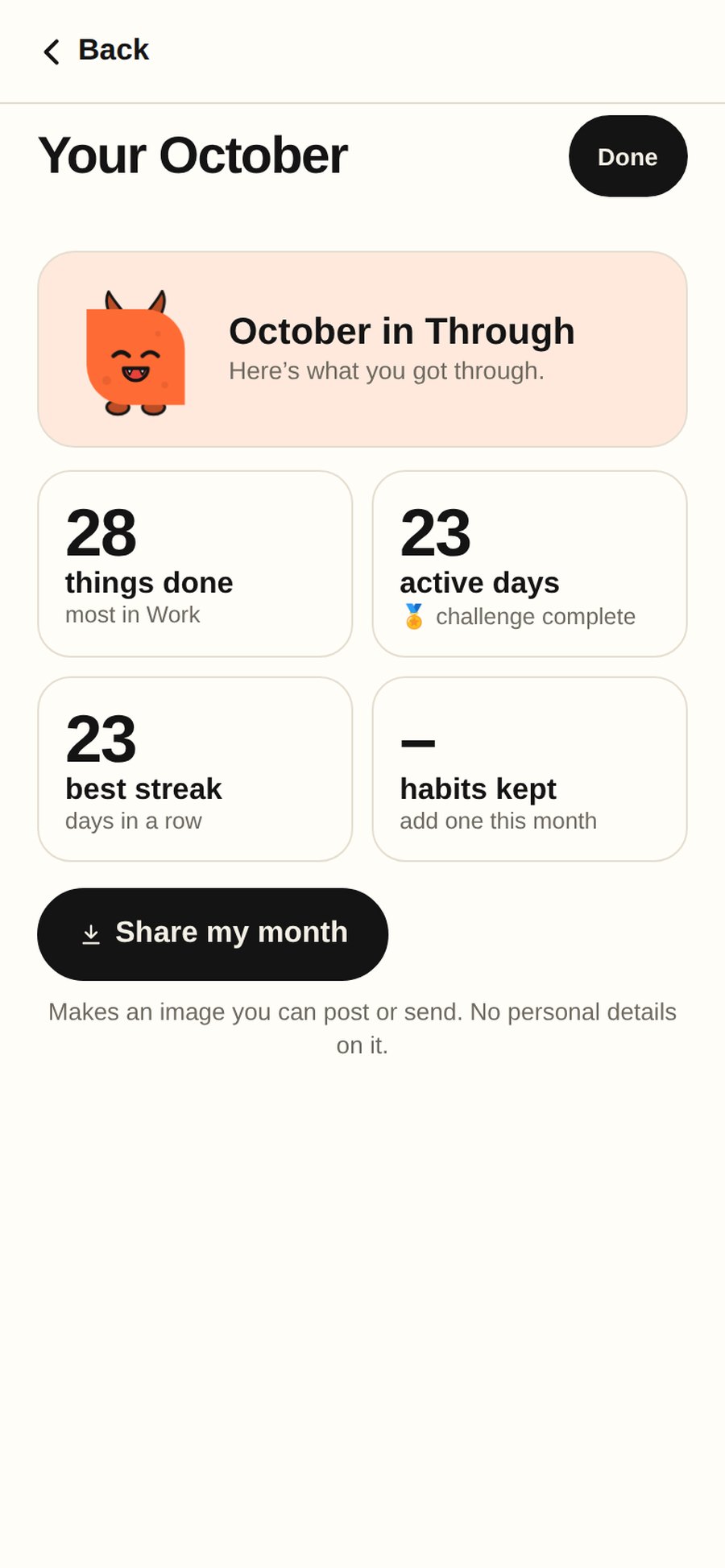
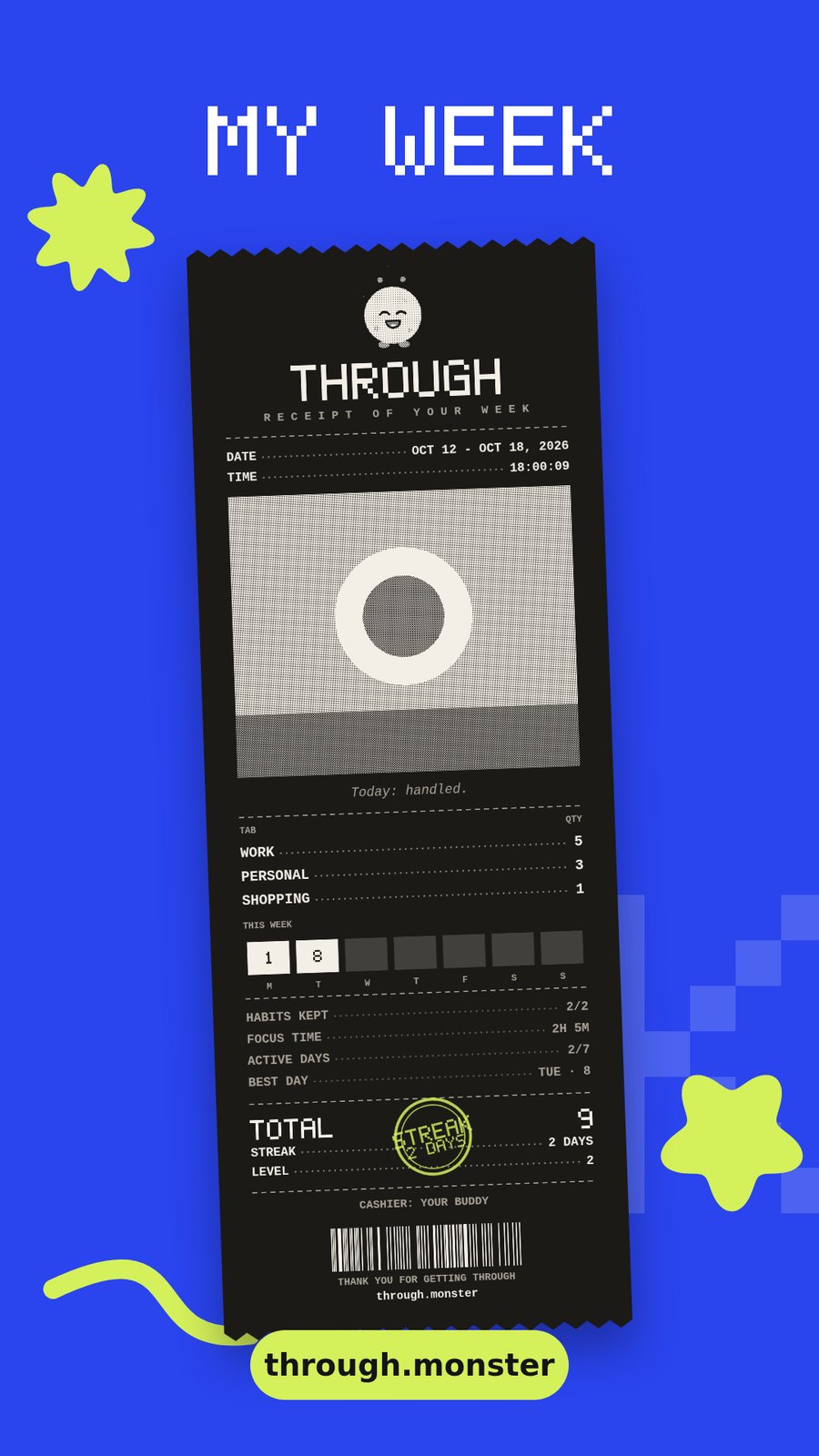
Your week at a glance: what you finished, how long you focused, and where your time went.

  • Through learns how long things really take you, so its estimates get more honest.
  • Spot your best time of day for deep work.
  • Goals show whether you’re on track for the deadline.
Your week in review: 9 finished, two leftovers to move to next week
Speed

Add anything in one line.

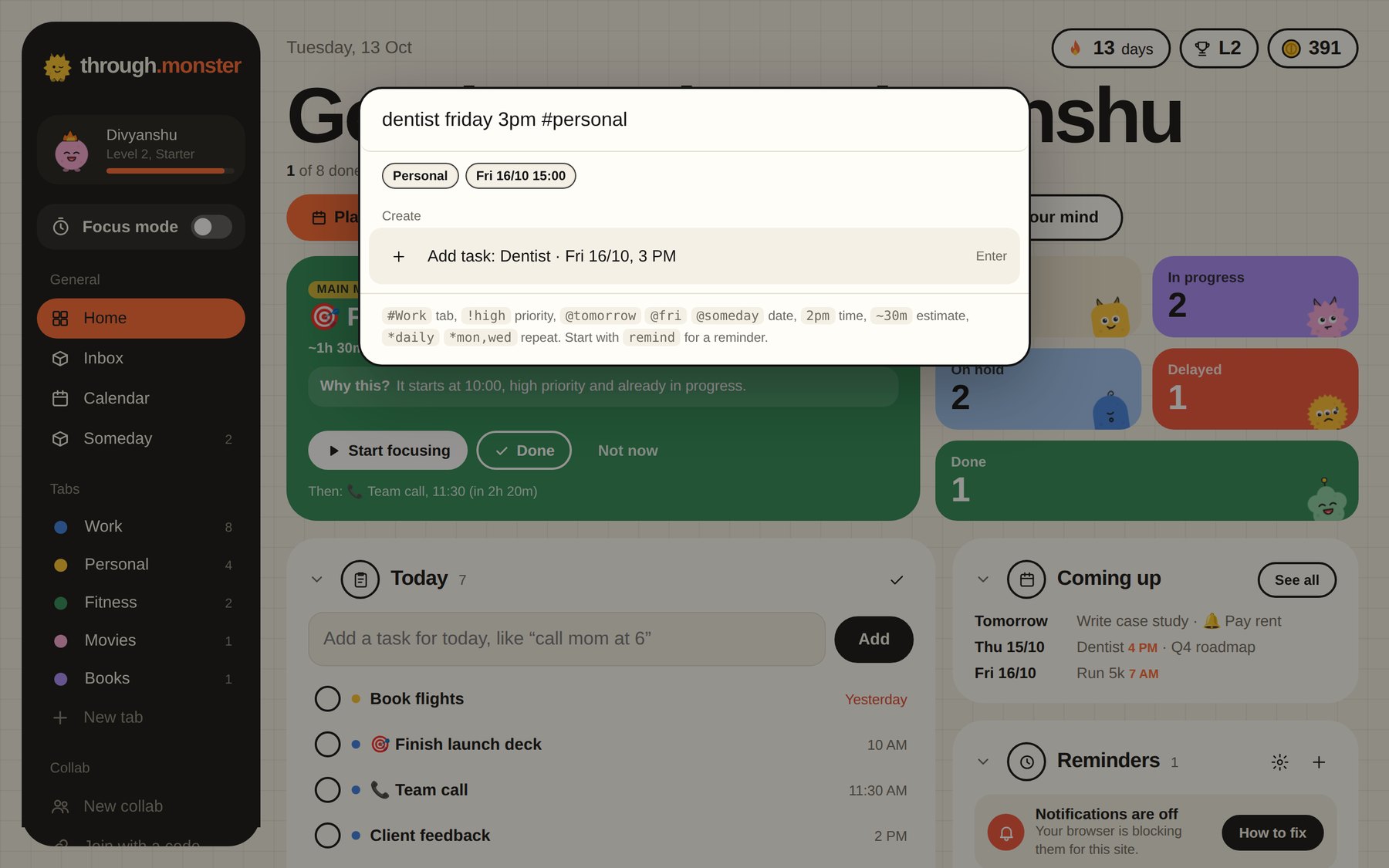
Type “dentist friday 3pm #personal” and it lands in the right tab, on the right day, at the right time.

Design hero section #Work !high @tomorrow 2pm ~2h

Through picks out the tab, priority, date, time, estimate and how often it repeats.

Quick add on a computer: typing dentist friday 3pm #personal
Boards

Move things around the way you think.

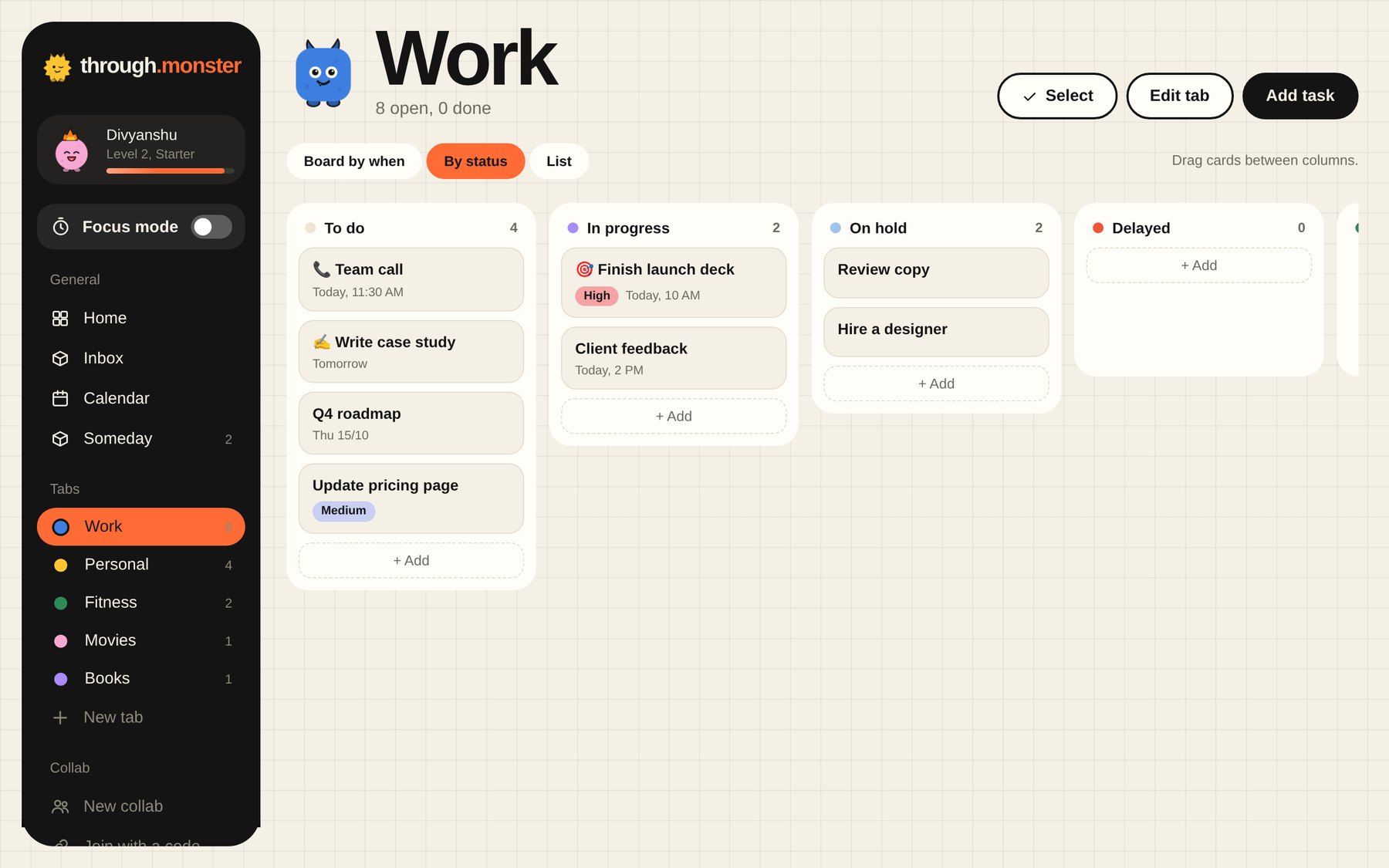
See a tab by status, by day or as a list, and drag tasks between columns.

  • To do, in progress, on hold, delayed and done, each with its own monster.
  • Drag a card onto a day to reschedule it.
  • On your phone, swipe between columns.
A tab as a board on a computer: To do, In progress, On hold and Delayed
Someday

Someday, for ideas without a deadline.

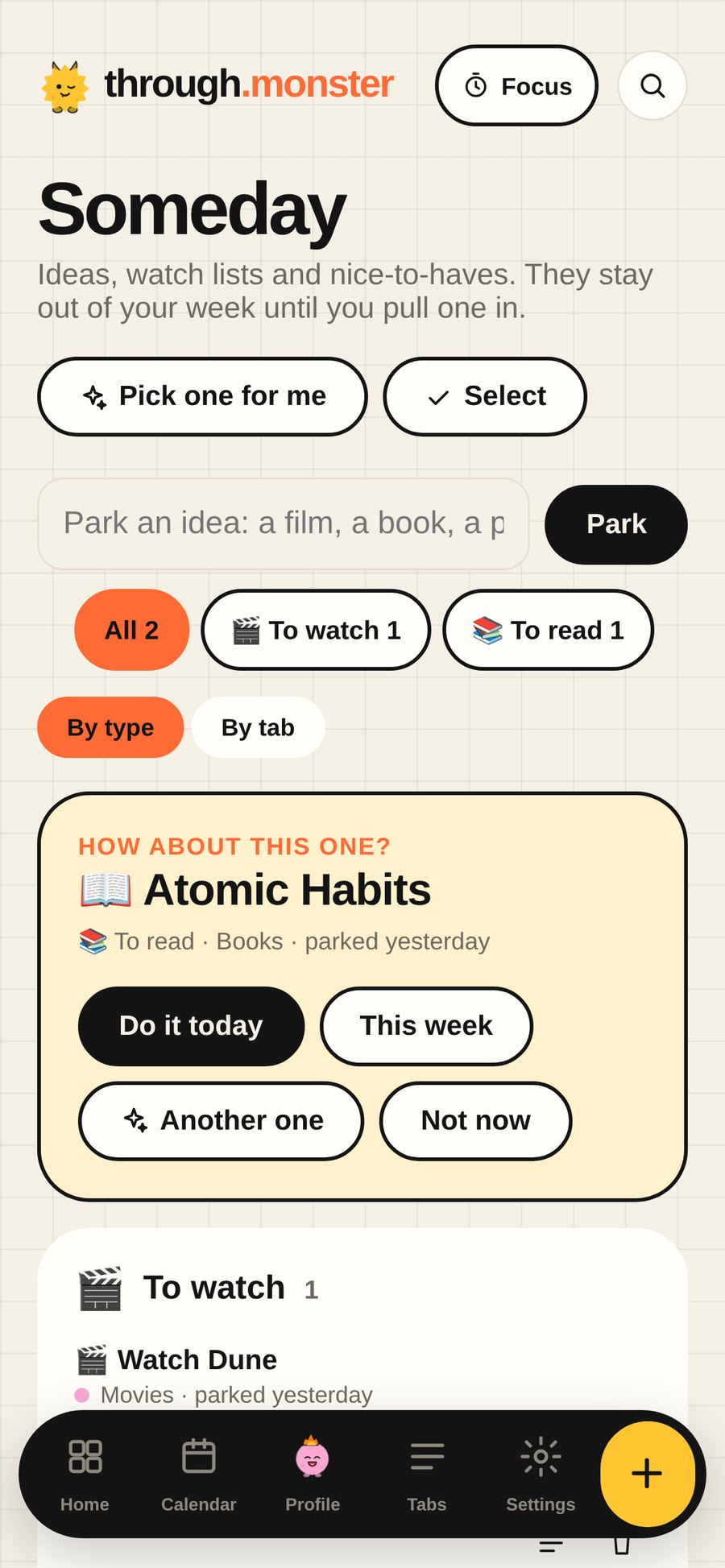
Books to read, places to visit, things you might do one day. Park them in Someday so they stop cluttering today.

  • Sorted into watch lists, reading lists and ideas automatically.
  • “Pick one for me” suggests something for a free evening.
  • Pull an idea into today when you’re ready.
Someday: watch lists and reading lists, with Pick one for me
Reminders

Reminders that actually reach you.

Alerts arrive on your phone and computer, even when the app is closed.

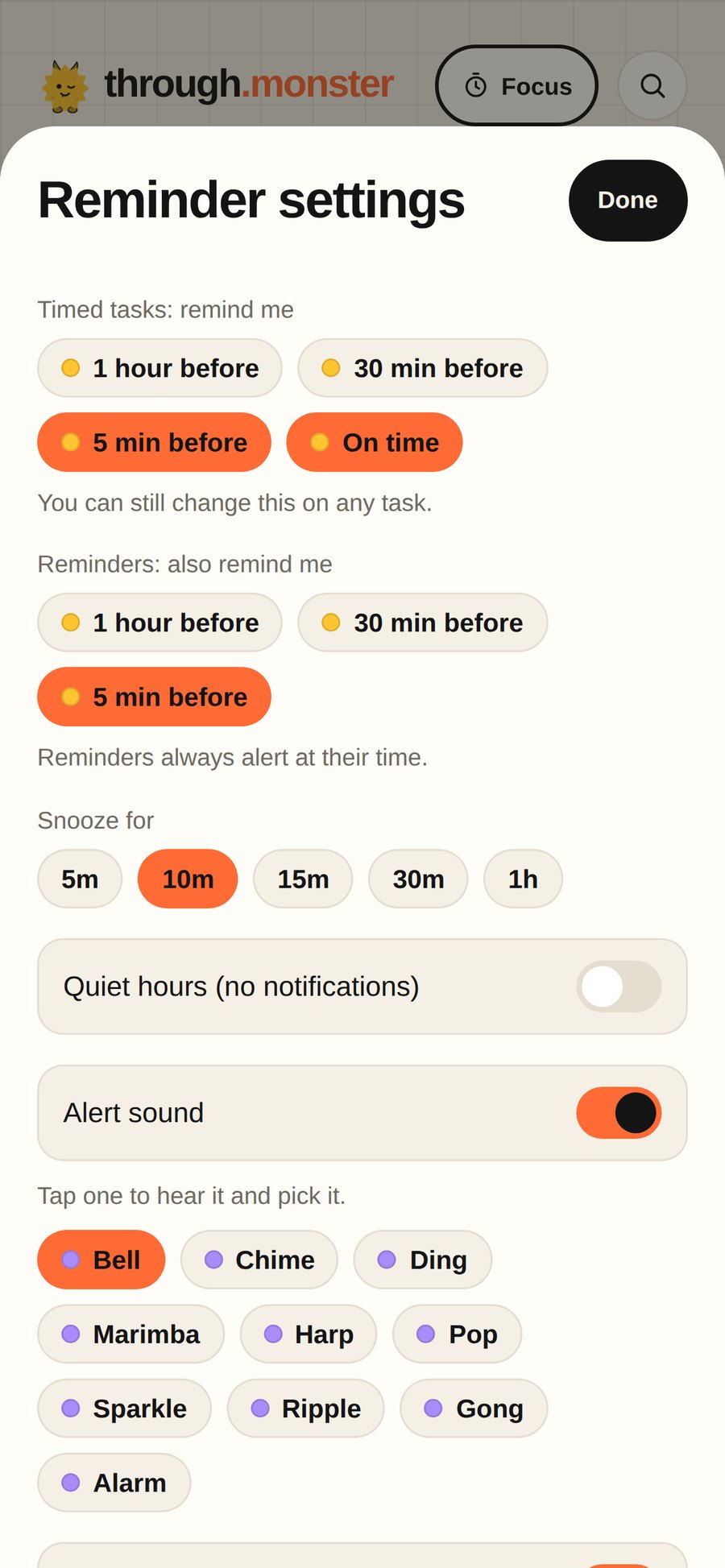
  • Set how early you want a heads-up for timed tasks.
  • Quiet hours keep the night quiet.
  • Snooze a reminder when the timing’s wrong.
Reminder settings: how early to be told, snooze length and alert sounds

And all the small things.

Snap your paper list

Love pen and paper? Snap the page and every line becomes a task, ticks and arrows included. Print a Through page.

An Inbox for loose ideas

Capture first, decide later. Through suggests a day and a tab for each one, or sort them one by one.

Do it together

Share a tab with a code. Everyone sees the same list, and you can see who did what.

Goals with deadlines

Count up, track a percentage, or link a tab. Through tells you if you’re on track.

Repeating tasks

Every day, weekdays, chosen days or monthly. The next one appears when you finish.

Share to Through

On Android, share text or photos from any app and they become tasks.

Learns your pace

Estimates adjust to how long things really take you.

Any colour you want

Pick your accent colour, light or dark mode, or a quieter look.

Calm by default

Streaks and coins sit quietly at the side, or switch them off.

Syncs everywhere

Sign in with Google or email. Edit on your phone and laptop at the same time; both changes are kept.

Install like an app

Add it to your Home Screen or Dock. It opens full screen and works offline.

Your data, yours

No ads, nothing sold. Export a backup any time, or delete your account in Settings.
Meet the monsters.

Thirteen of them, one for every kind of tab. They blink, follow you with their eyes, and get grumpy when things are overdue. Go on, tap one.

Your list,
but finished.

Free to start. Sign in with Google and you're in.

Start free Get the app

How to set up Through on your phone and Mac

The maker

Hi, I'm Divyanshu.

I'm a brand and motion designer. My days are spent on motion graphics, campaigns, presentations and the little tools that make design teams faster.

The problem was, I kept writing lists and not following them. Work tools like Asana felt far too heavy for "watch this movie" or "go to the gym", and simple list apps turned into backlogs I stopped opening.

So I designed the app I wanted: one place for work and life, honest about how much fits in a day, and built so that finishing a task feels as good as a well-timed animation. That's Through. I hope it helps you finish what you start.

Divyanshu

Say hi on LinkedIn